Version 0.1.0

A Premium Desktop Terminal
Built for Modern CLI Workflows

Fast, robust, and highly configurable. KetraTerm delivers deep shell integration, state-of-the-art text layout, and precision terminal behavior without the bloat.

Windows Native (ConPTY)
macOS & Linux
24-bit TrueColor RGB
Kitty Keyboard Protocol
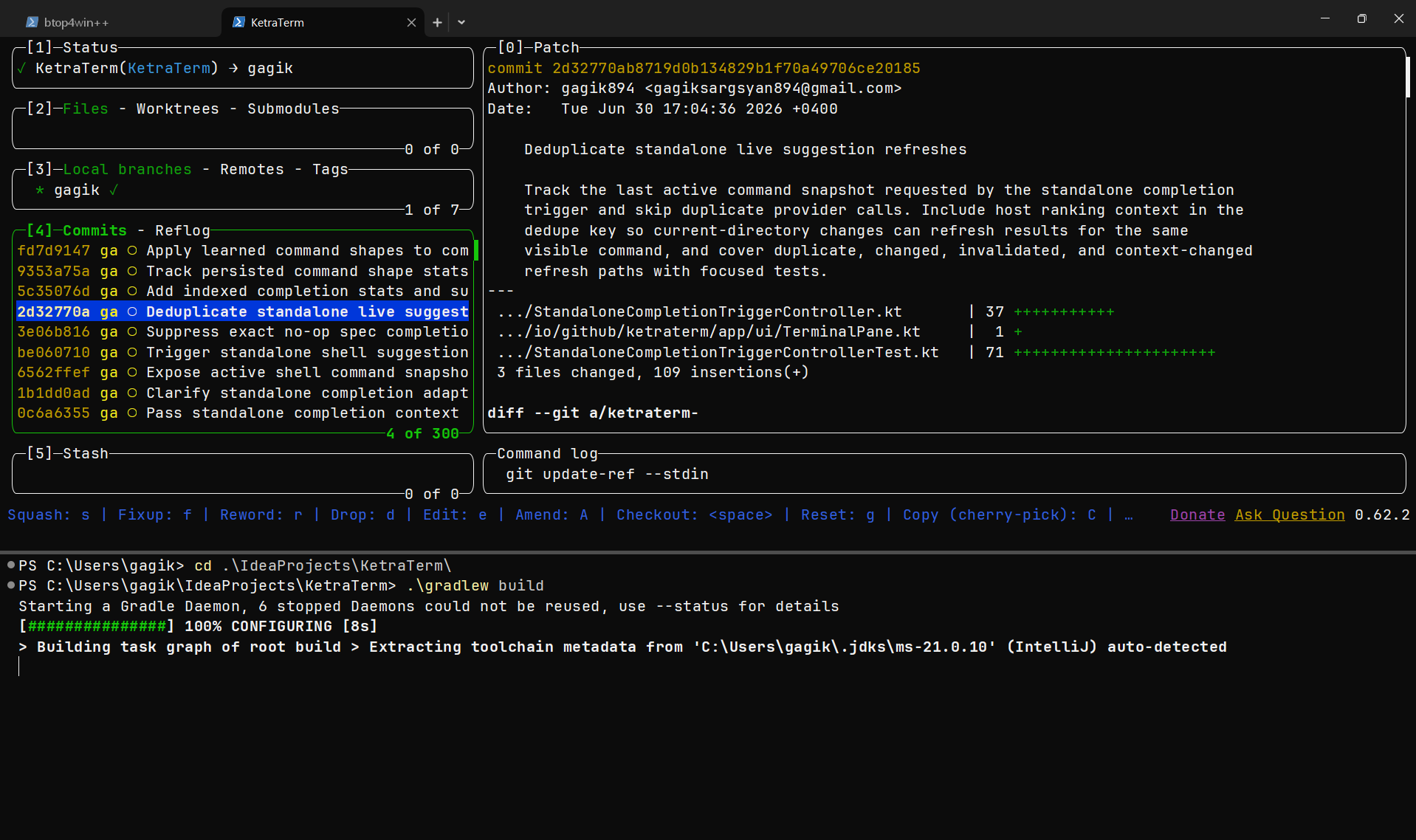
KetraTerm running PowerShell and TUI components

Engineered for Command Line Excellence

Every visual capability, keyboard escape, and shell protocol designed to handle modern CLI and interactive TUI needs.

Kitty Keyboard Protocol

Fidelity key encoding supporting progressive modifier flags. Disambiguates modifier combinations, reports release events, and manages push/pop mode stacks so applications like Helix and Neovim get true desktop-level hotkeys.

Shell Autodiscovery

Automatically discovers and builds configuration profiles for PowerShell, Command Prompt, Git Bash, Bash, zsh, fish, Nushell, and WSL distributions on Windows, macOS, and Linux.

OSC 133 Shell Integration

Injects prompt lifecycle hooks. Captures prompt starts, command boundaries, exit status codes, and timestamps. Renders failure rails on error and allows prompt-to-prompt jump navigation (Ctrl+Shift+Up/Down).

Exceptional Text Layout

Full Unicode 17.0.0 compliance, UAX #29 boundary segmentation, zero-width combining characters (Thai/Lao), and Segoe UI Emoji rasterization. Enforces East Asian Wide, Narrow, and Ambiguous policies.

TrueColor & Styled Underlines

Full 24-bit TrueColor RGB palettes. Renders curly, double, dashed, and dotted underline styles with independent, user-customizable underline colors (SGR 58/59) to bring modern IDE highlighting to your TUI.

Margin & Scroll Physics

Implements independent horizontal (DECSLRM) and vertical (DECSTBM) scroll margins, alternate screen save slots, and protected cell erasures (DECSCA) to isolate TUI application structures.

Strict Security Gates & Audited Protocols

Terminal output shouldn't have unrestricted access to your machine. KetraTerm validates and filters every host-affecting escape sequence through a central policy layer before execution.

  • Audited OSC 52 Clipboard Read/query is blocked entirely by default to prevent malicious processes from stealing secrets. Writes are audited, size-checked, and gatekeeper-prompted before modifying the platform clipboard.
  • Anti-Fingerprinting Protocols DA3 device attributes query responses remain silent to prevent tracking through unique hardware identifiers. Window position reports (CSI 13 t) are disabled to protect against clickjacking.
  • Origin-Aware Window Title Updates Evaluates title rename sequences based on origin (local shells vs remote SSH). Long values are clamped or rejected, preventing confusion and phishing.

Security Policy Boundaries

Feature Gate Default Enforced Boundary
OSC 52 Clipboard Write Prompt on Local / Deny on Remote
OSC 52 Clipboard Read Deny All (Blocked)
CSI Window Manipulation Ignored / Gated by Settings
DA3 Device Identity Silent (Fingerprint Guard)
OSC 7 Working Directory Gated at 4096 characters
Clipboard Payload Capacity Limited to 1 MB maximum

Comparing Modern Terminal Emulators

See how KetraTerm stacks up against other top-tier CLI environments.

Capabilities KetraTerm Ghostty Warp Alacritty WezTerm iTerm2
Native Windows Support (ConPTY)
Kitty Keyboard Protocol (Progressive flags)
Styled Underlines (Curly/Dashed) (Custom colors)
OSC 133 Command Markers (Gutter & exits)
Audited OSC 52 Clipboard Gate (Origin & write prompt)
JVM / IDE Embeddability (Zero native JNI bloat)

Comprehensive TOML Configuration

No obscure dotfiles. Manage your fonts, themes, security boundaries, and shell defaults in a single, well-documented TOML file.

config.toml
# KetraTerm Configuration Settings (config.toml)

[window]
columns = 100 # Grid columns (10 to 1000)
rows = 30 # Grid rows (10 to 500)
scrollback_lines = 5000 # Scrollback history size (0 to 1,000,000)

[font]
family = "Cascadia Mono" # Primary font family
size = 15 # Font size in points (10 to 56)
line_height = 1.15 # Line-height multiplier (0.7 to 1.5)
use_system_fallback_fonts = true # Scan system fonts for color emojis

[theme]
name = "one-dark" # Color theme: campbell, one-dark, nord, tokyo-night, everforest

[behavior]
cursor_shape = "block" # Shape: block, underline, or beam
cursor_blink_millis = 600 # Cursor blink speed in ms (0 disables blink)
audible_bell = true # Beep on terminal ASCII BEL characters
visual_bell = true # Pulse screen edge on BEL events
paste_on_middle_click = true # Middle click mouse action to paste
paste_sanitization = "raw" # paste formatting: raw, strip-c0, normalize-line-endings
desktop_notifications = true # Enable OSC 9 / OSC 777 tray alerts

[shell]
path = "powershell.exe" # Shell target (powershell, bash, zsh, WSL etc.)
start_directory = "~" # Initial shell working directory
request_resize_window = false # Allow shell to programmatically resize window
request_window_manipulation = false # Gated window operations (minimize/maximize)
persistent_command_history = true # Retain command metadata across terminal sessions

[security.clipboard]
local_write = "prompt" # Local OSC 52 permissions: allow, prompt, deny
remote_write = "deny" # SSH or remote session OSC 52 write permissions
read = "deny" # Clipboard read attempts (always deny to prevent extraction)
max_decoded_bytes = 1048576 # Payload write size ceiling (1MB)

[security.title]
local_permission = "allow" # Local title update permission: allow, deny
remote_permission = "deny" # Remote SSH session title updates